What your readers can do with it
CFA and FRM candidates spend weeks learning one calculator's worksheets, and most mistakes are keystroke mistakes: a stale value in the TVM registers, the wrong P/Y, a cash flow entered with the wrong sign. The BA II Plus style calculator keeps those registers in view. Beside the keypad readers see N, I/Y, PV, PMT, FV, P/Y, C/Y and END or BGN, and a tape of every key they pressed.
- The TVM keys with CPT, and the prompted worksheets: CF with NPV and IRR, AMORT, BOND, DEPR, DATE, ICONV and the rest of the 2ND functions.
- Chain or AOS arithmetic and memories 0 to 9, as on the device.
- A status line above the display that always shows the mode, the decimals, END or BGN and P/Y.
- Icons along the top: Examples plays a worked problem one key at a time, then Copy, Reset, a keyboard shortcut list and Share, which copies a link that replays the keys.
The widget is the keypad. The plain forms on the full page (TVM, cash flow with MIRR and XIRR, amortization schedules, bonds, depreciation and dates) stay there, for readers who want boxes rather than keys.
Where it fits
On a CFA Level I study page, put it under each time value of money question so readers check both the answer and the key sequence. A finance lecturer can embed it in Canvas next to a capital budgeting case. Because the widget starts like a calculator after 2ND RESET ENTER, with P/Y = 1, it also makes a good point on a page about resetting before every question.
Suggested size
The default frame is 900 px high and up to 960 px wide. That fits the keypad, the registers and the key tape with nothing hidden at every width we measured, from a 360 px phone column to a 960 px page. On a wide page you can go down to about 800 px; set it above before you copy the code. On a phone the registers and the tape move behind Values and Keys buttons and the calculator needs about 890 px.
Open it on a cash flow problem
A keys link presses keys on a freshly reset calculator, using the names printed on them (NEG is the +|- key, DOWN the ↓ arrow). This one enters an outlay of 50,000, then 12,000 for three years, 18,000 for two and 9,000 in year six, and computes the NPV at 9%:
https://widemath.com/embed/ba-ii-plus-calculator/?keys=CF,2ND,CLRWORK,50000,NEG,ENTER,DOWN,12000,ENTER,DOWN,3,ENTER,DOWN,18000,ENTER,DOWN,2,ENTER,DOWN,9000,ENTER,NPV,9,ENTER,DOWN,CPT
The display reads NPV= 10,192.36 with the computed marker, and the tape lists every key: CF, 2ND, CLR WORK, 50000, +|-, ENTER and so on. Readers can press IRR and CPT next to get 15.38%. The F frequency (3 and 2 here) is how the calculator repeats a cash flow, and it is the step most students forget.
Add it in three steps
- Load a problem if you want one, set the height to about 800 px, then press Copy embed code.
- Paste the code into your course page or post. In Canvas, open the HTML editor of the page; in WordPress, use a Custom HTML block.
- Keep the credit line under the frame, and publish.
Frequently asked questions
Can CFA candidates use this in the exam?
No. The CFA Institute allows only physical calculators in the exam room: the BA II Plus (including the Professional) and the HP 12C models. This widget is a BA II Plus style practice tool from WideMath, not made by Texas Instruments, for learning the keystrokes before the exam.
Does it give financial advice?
No. It is for study and planning. A note at the bottom of the widget says so, and readers should confirm loan and investment figures with their lender or adviser.
Can a link show a mortgage payment instead?
Yes. The keys link ?keys=2ND,CLRTVM,2ND,P/Y,12,ENTER,2ND,QUIT,360,N,6.5,I/Y,300000,PV,0,FV,CPT,PMT sets 12 payments a year and computes the payment on a 300,000 loan over 30 years at 6.5%: −1,896.20.
Why is the payment negative?
The calculator uses a cash flow sign convention: money you receive is positive and money you pay is negative. A loan you take is a positive PV, so the payments come out negative, just as on the handheld.
More calculator widgets
Want the explanations and worked examples as well? They are on the full BA II Plus Style Calculator page. All 24 widgets, each with a Copy code button, are in the calculator widget gallery.
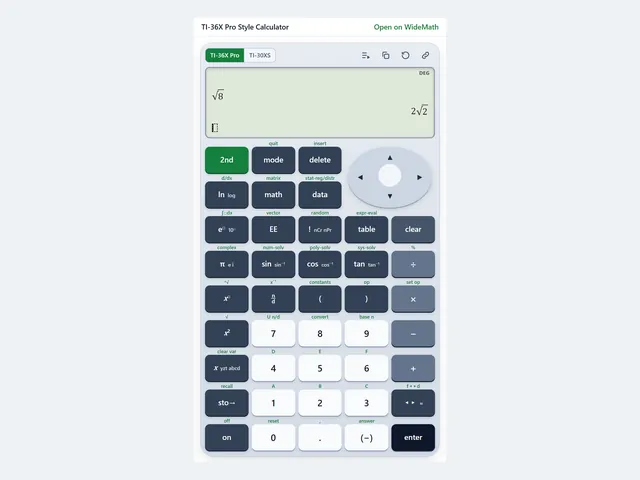
TI-36X Pro Style Calculator
FE exam keystrokes on a TI-36X Pro style keypad, with a TI-30XS MultiView switch.
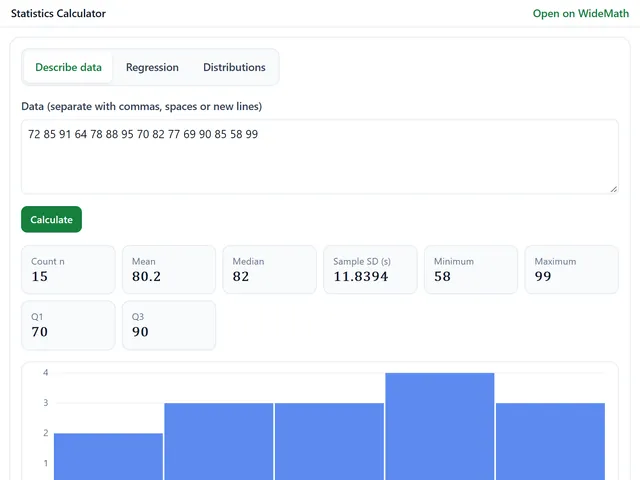
Statistics Calculator
Mean, SD, quartiles, regression with R², and normal, t, chi-square and F probabilities.
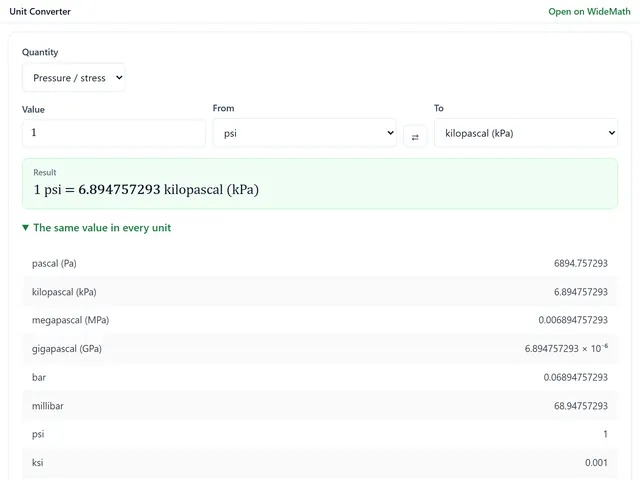
Unit Converter
19 engineering quantities, every unit at once, and a free-form box for compound units.